Full, Compact and Necessities
A full record is a dozen sections and forty-odd fields. That is right when you are working one record over and wrong when you have twelve new characters and want each one to stop being a name. One button cycles between four amounts.
| Mode | Shows | Use it when |
|---|---|---|
| Full | Everything. | You are working one record thoroughly. |
| Compact | Only the essential fields — the minimum for the record to be a record on its own terms. | You are filling in a lot of thin records quickly. |
| Necessities | Only what the analysis tools read from, or can fill in for you. | A report is going quiet and you want to know why. |
| Worksheet | The record laid out as a printed character or story worksheet — grouped and captioned, not a settings form. | You want a record to read like something you'd fill in by hand, or you're doing a first planning pass on a new character. |
The toolbar button and the menu item are the same setting seen two ways, so they can never disagree. Worksheet is presentation only — the same fields, edited the same way, just laid out and captioned differently; it doesn't change what Compact or Necessities show elsewhere.
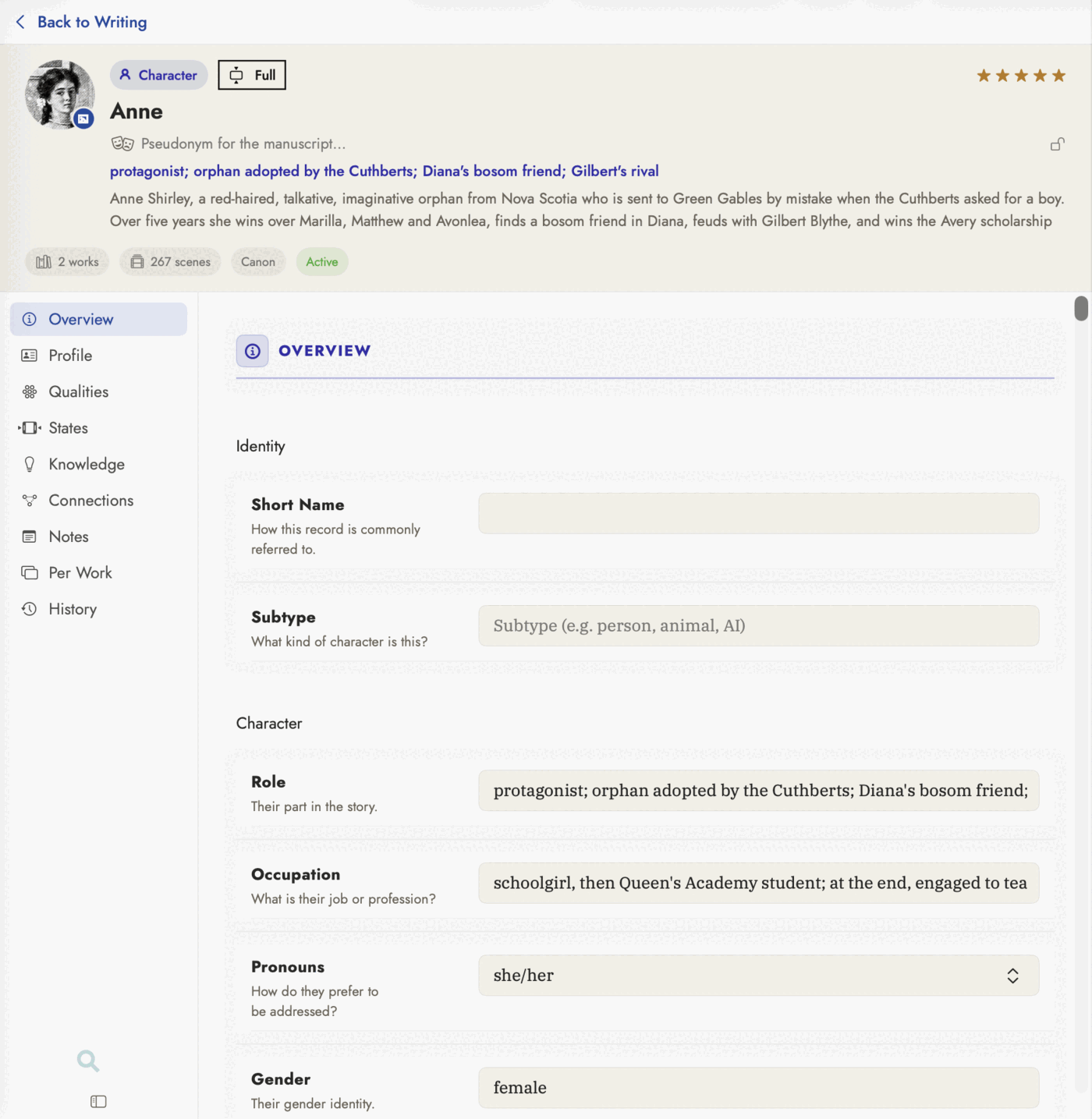 The view chip in the header — Full
here — is what the rest of this page is about. The rail beside it does not
change with the view; only what each tab shows you does.
The view chip in the header — Full
here — is what the rest of this page is about. The rail beside it does not
change with the view; only what each tab shows you does.
Compact and Necessities are different sets
They overlap, and they are not the same question. Compact asks what does this kind of record need in order to be a record. Necessities asks what do Five C's, Loose Ends, the Scene Grid, the Timeline and AI Readings actually look at.
A character's core wound is never essential to the record, but the analysis can propose one — so it appears in Necessities and not in Compact. A plot item's Introduced At position is essential precisely because Loose Ends is built on nothing else — so it appears in both.
The panel beside a chart edits the record too
Every analysis tool opens records the same way — click a card on the Family Tree, a dot on the Thread Map, a bar on Pacing, or a row in the Story Bible list, and that record appears in the panel down the right-hand side. It is deliberately not the full editor, which takes the centre of the window — where the chart you were reading is.
Every field it shows, it edits. Summary, role, gender, whatever the record has filled, in the same enclosed boxes the record editor uses, with the same suggestion menus and the same date handling. A field the catalogue cannot write — a computed value, a count, a Wikipedia fact carried in from an import — still reports rather than pretending to be editable.
Two sections below the filled fields exist because a panel that only showed what was already there could never help you fill anything in:
- Still Blank — the essential fields with nothing in them, as editors rather than a list of names.
- The Analysis Can Fill These — blank fields nothing is waiting on, but which the AI analysis could answer. An offer rather than a gap. Gender lives here, which is the whole reason the section exists: the Family Tree colours every card from gender and it is deliberately not essential, so before this the one field that chart tells you to set was the one field the panel could not show you.
What the coloured mark beside a blank field means
A blank field may carry a coloured bar down its left edge. There are two colours and they mean genuinely different things:
Red — an analysis tool reads this field, and it is blank. Your record may be perfectly fine; a screen elsewhere in the app has nothing to draw. That is the failure worth crossing the room for, because nothing on the screen that has gone quiet can tell you the cause is here.
Ochre — the field is essential to the record itself, and blank. The record is thinner than it should be. This is a matter of degree, not a thing that has stopped working.
A filled field carries no mark at all, whatever it is worth — thirty badges down a record are wallpaper. A field that is merely optional is never marked: a character with no recorded eye colour is not a problem.
Fields the analysis can fill in for you
A third state, marked with a small sparkle rather than a bar: nothing is broken while it is blank, but the AI analysis can offer a reading for it. In Necessities these are gathered under their own heading, The analysis can propose these. Leave them blank and they simply wait — see Reading the manuscript with AI.
On a Character these are the interpretive fields — Primary Fear, Primary Desire, Core Wound, Core Values, External Goal, Internal Need, False Belief, Truth to Learn — and, sitting first among them, Gender.
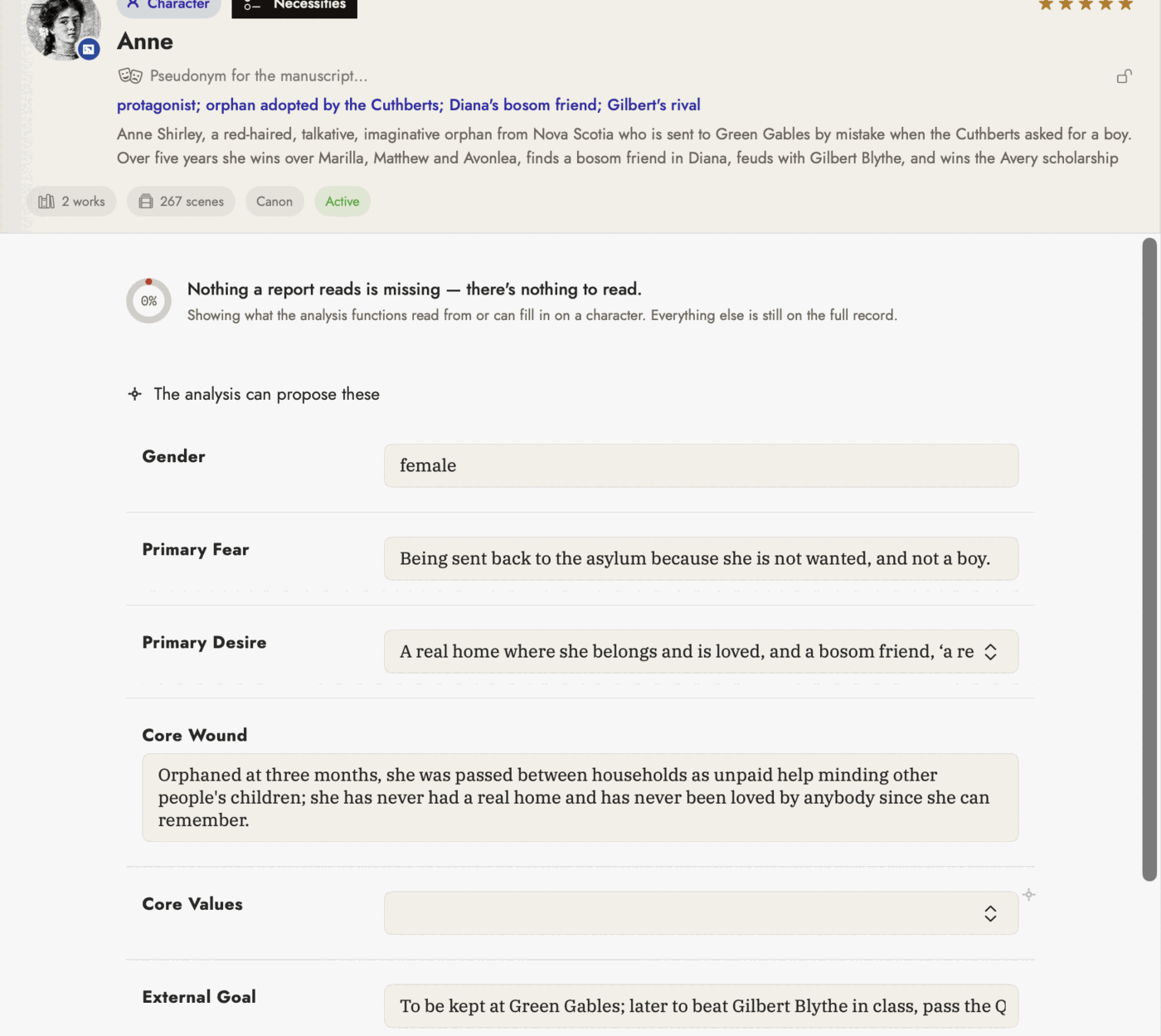 The ring reads 0% and says nothing is missing — both
true. Core Values is blank, so it carries the sparkle; that is an offer, not
a complaint.
The ring reads 0% and says nothing is missing — both
true. Core Values is blank, so it carries the sparkle; that is an offer, not
a complaint.
Where a mark cannot appear
Locations, organizations and themes carry no analysis marks at all, and that is a fact about the app rather than an oversight. What makes a location matter to a report is an event pointing at it, not a field on the location itself. The record says so plainly rather than leaving you hunting for marks that were never going to appear.