Labs: planning tools
Diagrams you fill in rather than reports you read: a character's arc in two shapes, and the story against the plot. Neither keeps a copy of anything — every box is a field the Story Bible already had, so what you type in a diagram is in the record, and what a diagram shows comes from records you already keep.
Getting there
Find them under Labs at the foot of the binder sidebar, or in the Analysis menu's Labs submenu. Labs is where a tool lives while it's offered without the promise the rest of the app makes — working and tested, but still finding its final shape. Everything in Labs is free. Labs used to appear only with AI analysis on; neither of these uses AI, so it's always there now, and AI Readings joins them when AI is on.
Arc Planner
One character's change, as a diagram you fill in. Choose a character from the menu at the top right — it opens on your most important one — and a shape from the switch beside it. Both shapes are kept, so switching loses nothing.
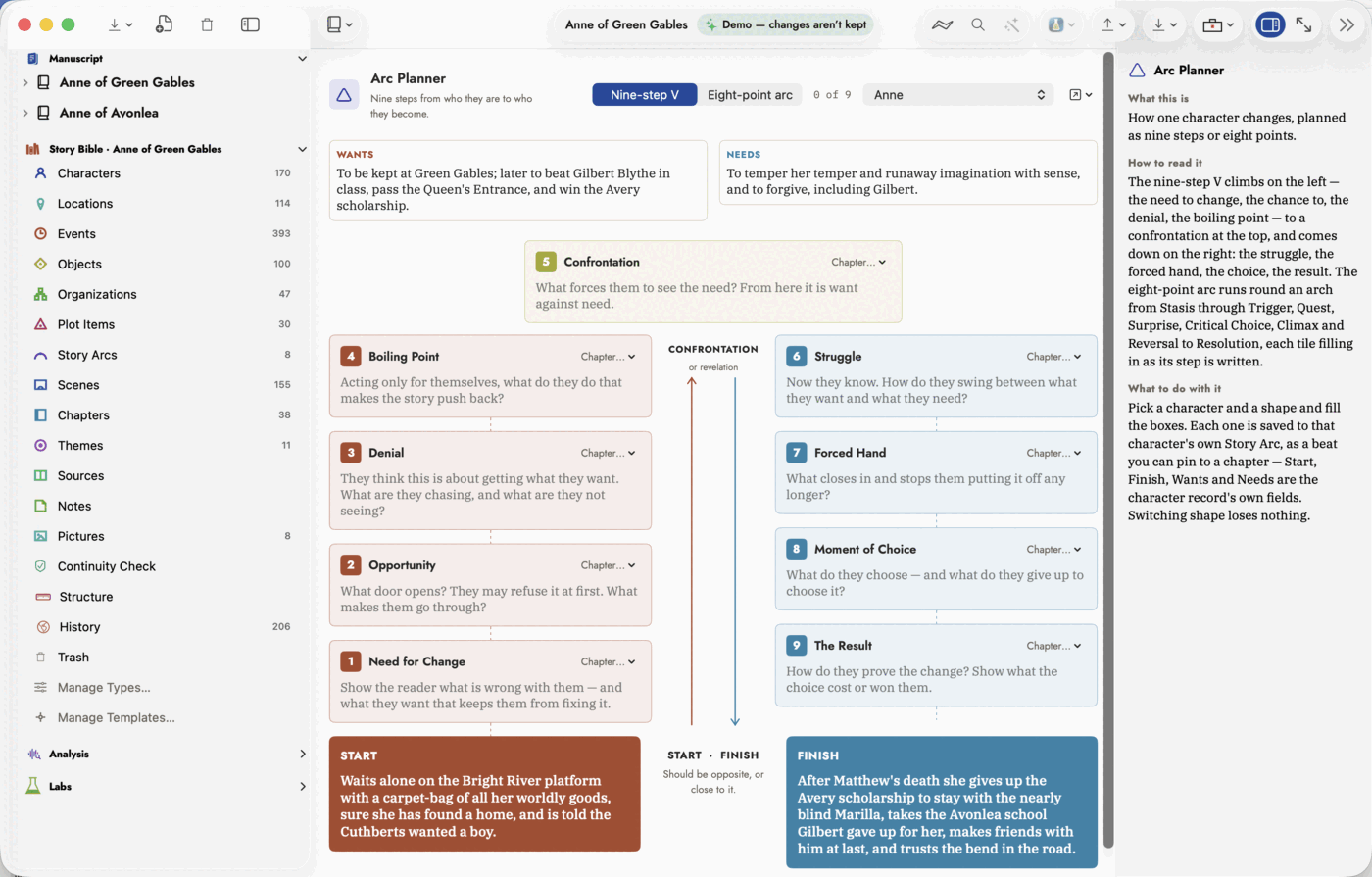 The nine-step V. Start and Finish along the bottom should
be opposites, or close to it.
The nine-step V. Start and Finish along the bottom should
be opposites, or close to it.
Nine-step V. Four steps climb toward a confrontation — Need for Change, Opportunity, Denial, Boiling Point — Confrontation sits at the top, and four come down from it: Struggle, Forced Hand, Moment of Choice, The Result. Each box shows the question the step asks until you answer it.
Eight-point arc. Eight tiles round an arch, from Stasis at the bottom left over the top to Resolution at the bottom right — Stasis, Trigger, The Quest, The Surprise, Critical Choice, Climax, Reversal, Resolution — with each step's card beside its tile. A tile fills with colour once its step says something.
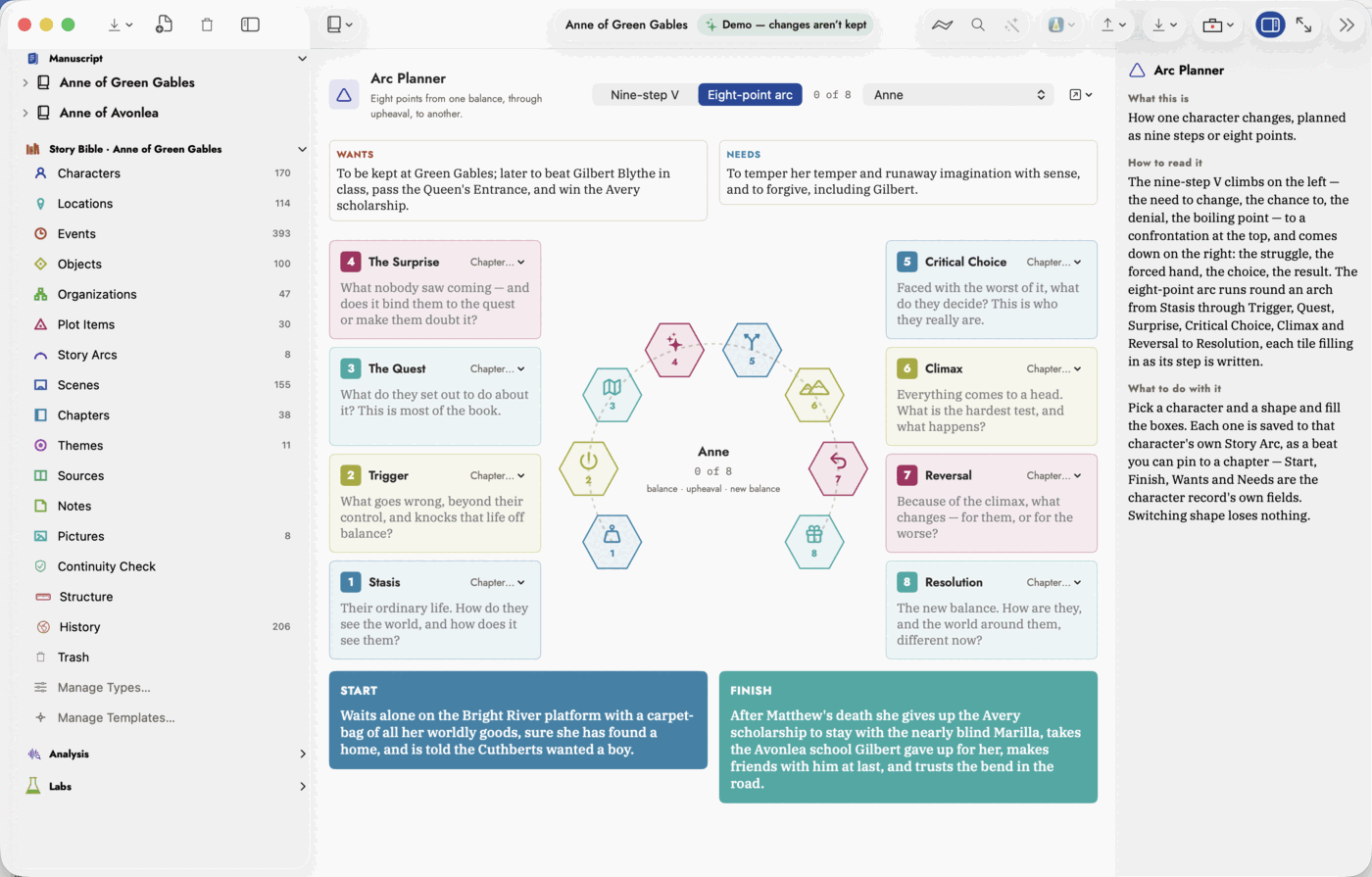 The eight-point arc. Outlined tiles are still empty.
Where it all goes:
- Wants and Needs are the character's own External Goal and Internal Need; Start and Finish are their Starting State and Ending State.
- Each step is a beat on the character's own Story Arc — a Character arc they own. The first thing you type makes the arc if there isn't one, so it also turns up on the Plot Board and in Loose Ends.
- Chapter… on a card pins the step to a chapter, listed in reading order book by book. Pin a step earlier than the one before it and a note under the diagram says so — fine for a flashback.
Plot vs Story
The story is everything that happens, in the order it happens; the plot is what the book shows, in the order it's read. Plot vs Story draws both, with a line from each event to every chapter that carries it.
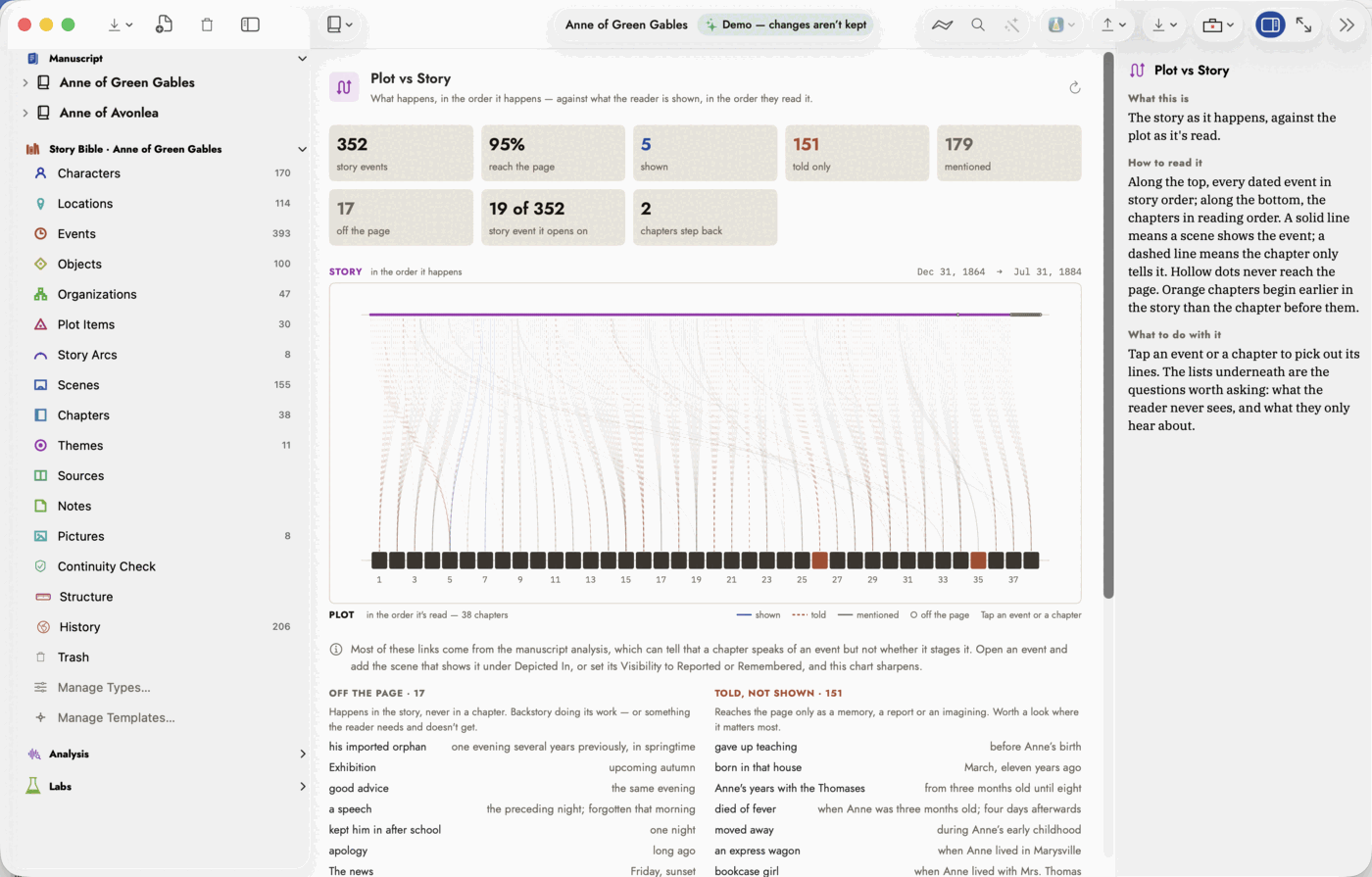 The story along the top, the plot along the bottom.
- Top lane — every Event with a date, in date order.
- Bottom lane — the body chapters of the book in Working on, in reading order; with All Manuscripts, one book and then the next.
- Solid blue — shown: a scene in the chapter depicts the event.
- Dashed orange — told: the event's Visibility is Reported, Remembered or Imagined.
- Faint grey — mentioned: the chapter speaks of the event and nothing says how. This is what the manuscript analysis records.
- Hollow dot — an event no chapter carries.
- Orange chapter — set earlier in the story than the chapter before it, judged by the latest event it shows or mentions.
Click an event or a chapter to light up its lines and list what it carries, with Open to go to the record; click it again to let go. The tiles above count how much of the story reaches the page, how, which story event the book opens on, and how many chapters step back. Off the Page and Told, Not Shown underneath list the events worth a second look.
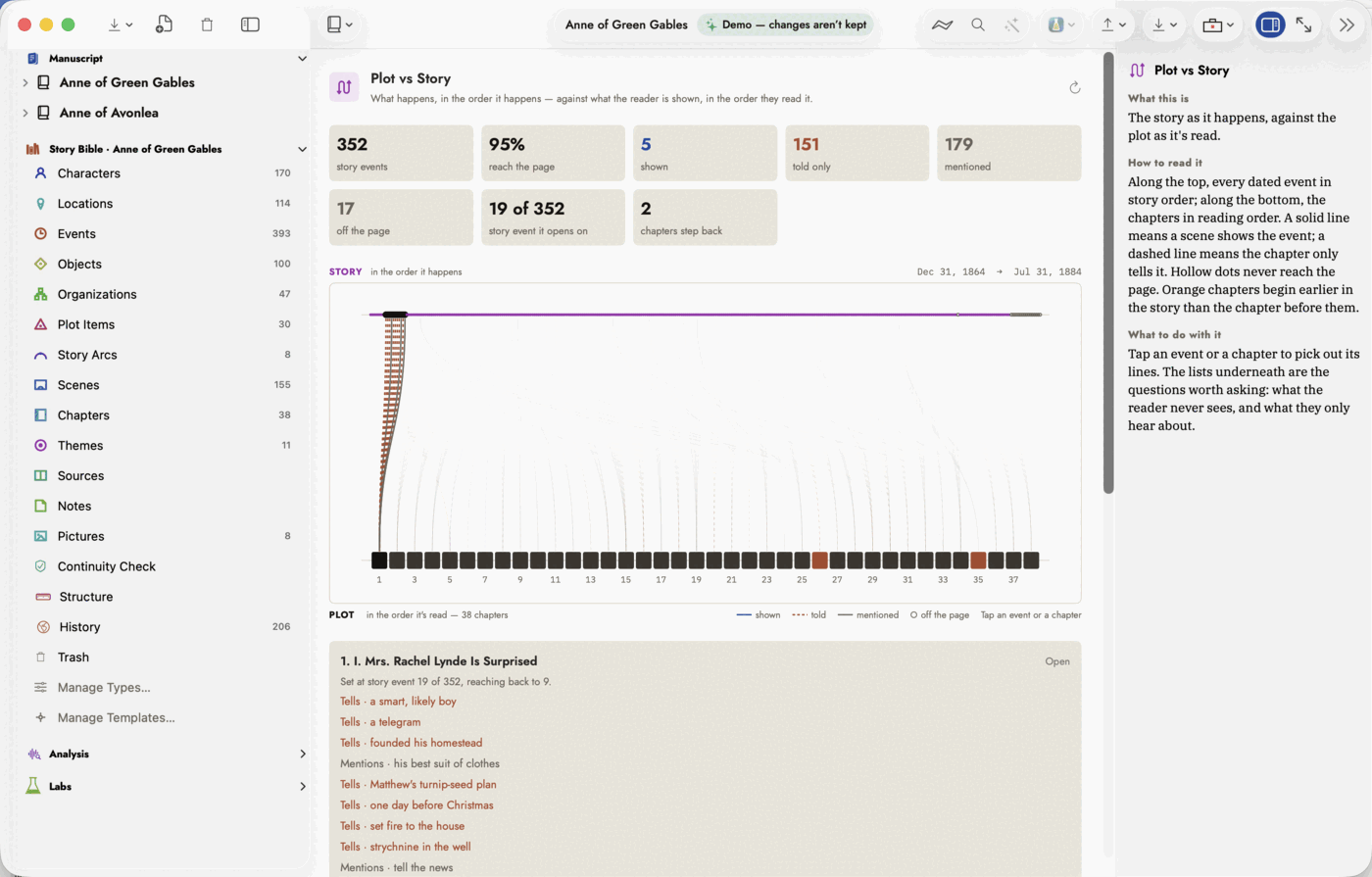 One chapter picked out.